The Timezone Bug in Chill with You
On this page
Basic Introduction
Section titled “Basic Introduction”There’s a game (actually a pomodoro timer) called Chill with You ~ Lofi Story, which is one of my favorites. The female lead is adorable and provides great companionship (though it’s not particularly great as a pomodoro timer). The game has a setting where “you” and the heroine exist in different parallel universes. So I’d always assumed the time gap between the game clock and my local time was part of the setting, and never bothered to calculate how much it was off — I just ignored it.
Until after the 1.2 update (January 27th), when I saw a comment on Steam’s discussion board: essentially, when running this game on Linux with Proton, the in-game time always shows UTC+0. As for what UTC (Coordinated Universal Time) is — to give a simple example, I’m at UTC+8, so if my actual time is 8:00 AM, the game would show 0:00 AM. An 8-hour difference.
…Wait what? So it wasn’t some parallel universe setting at all — just the timezone not being read correctly. No wonder it was exactly 8 hours off.
Problem Analysis
Section titled “Problem Analysis”It’s actually a pretty simple issue. I quickly found the cause: Windows programs translated through Proton somehow can’t correctly read the Linux system’s timezone information. On Linux, timezone data is typically stored under the /usr/share/zoneinfo/ directory. So the fix is straightforward — manually specify the timezone in the launch options. Go to Steam → Game Properties → Launch Options and add:
TZ=Asia/Shanghai: Sets the timezone to Shanghai (Beijing Time)/usr/share/zoneinfo/: Specifies the timezone file directory location
So the launch option ends up looking like this:
TZDIR="/usr/share/zoneinfo" TZ="Asia/Shanghai" %command%After adding these launch parameters and restarting the game, the time displays correctly.
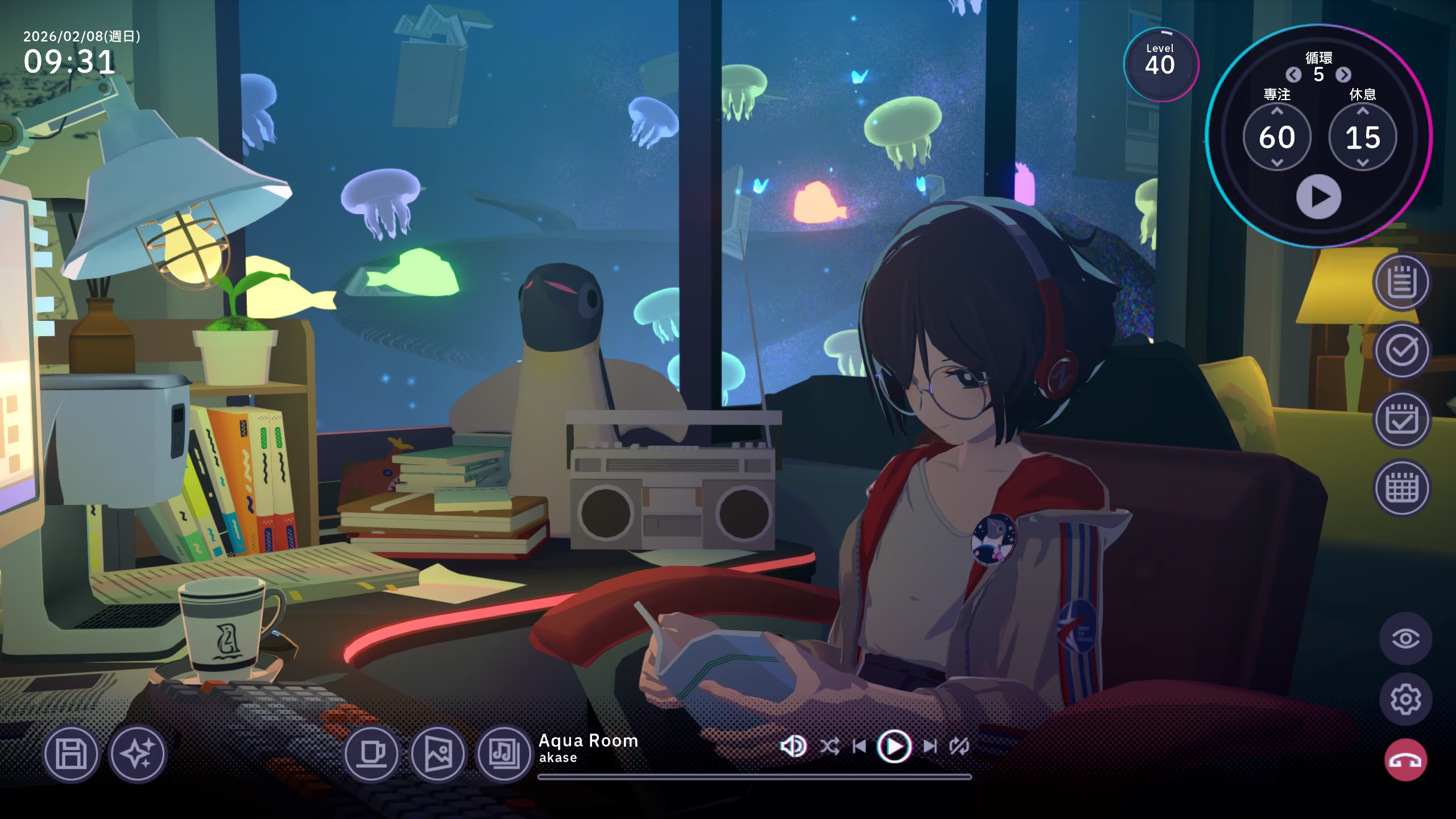
Solved
Section titled “Solved”That pretty much wraps it up. I also replied to that comment thread with the solution. If you’ve encountered the same issue, I hope this post helps you out. By the way, I use NixOS, so normally I should use /etc/zoneinfo instead of /usr/share/zoneinfo, since NixOS doesn’t have the /usr/share/zoneinfo directory. But this still works, because Steam’s environment handles it for you.
Like so:
~ $ steam-run ls /usr/share/zoneinfoAfrica Egypt Hongkong Mexico ROKAmerica Eire HST MST SingaporeAntarctica EST Iceland MST7MDT TurkeyArctic EST5EDT Indian Navajo tzdata.ziAsia Etc Iran NZ UCTAtlantic Europe iso3166.tab NZ-CHAT UniversalAustralia Factory Israel Pacific USBrazil GB Jamaica Poland UTCCanada GB-Eire Japan Portugal WETCET GMT Kwajalein posix W-SUChile GMT+0 leapseconds PRC zone1970.tabCST6CDT GMT-0 leap-seconds.list PST8PDT zonenow.tabCuba GMT0 Libya right zone.tabEET Greenwich MET ROC Zulu~ $ ls /usr/share/zoneinfolsd: /usr/share/zoneinfo: No such file or directory (os error 2).